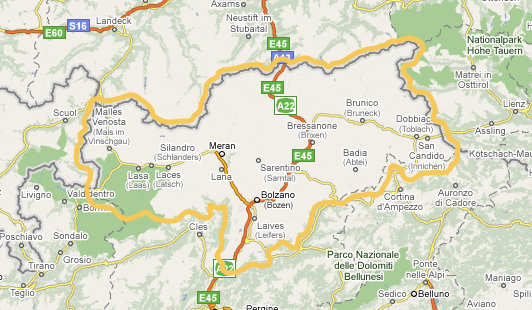
MAP
Please click on the picture to open up the map of the
area:

Help
Tools:
Scroll: If you move over an arrow with the mouse, the map will move in
the direction indicated.
Print: The section where you are located is printed out.
Help:
This help will be accessed.
Search:
Calls up the search box.
Close:
Closes the search box or help.
Enlarge: The magnifying glass symbol with the “+” sign appears when the
map is displayed in its original size. Click on the map to enlarge the area you
want to look at more closely.
Reduce: The magnifying glass with “-“ sign appears if the enlarged map is
displayed. If you click in the map it will zoom out again.
Display
information: If you hover over a coloured area with the mouse, more
information on the relevant item will be displayed.
Search box:
If
you select a type of item without entering a search term, all items of this type
will be displayed.
You can define the search more narrowly by selecting an item type and then also
entering a search term.
If you click on “reset search”, the search box is reset to the previous values.
|